During Your Interview
Voice, chat, video modes, code editor, whiteboard, and navigation
How the Interview Works
The AI interviewer asks questions one at a time and responds to your answers. Depending on the interview setup, you may use voice, text chat, video, or a combination.
Voice Mode
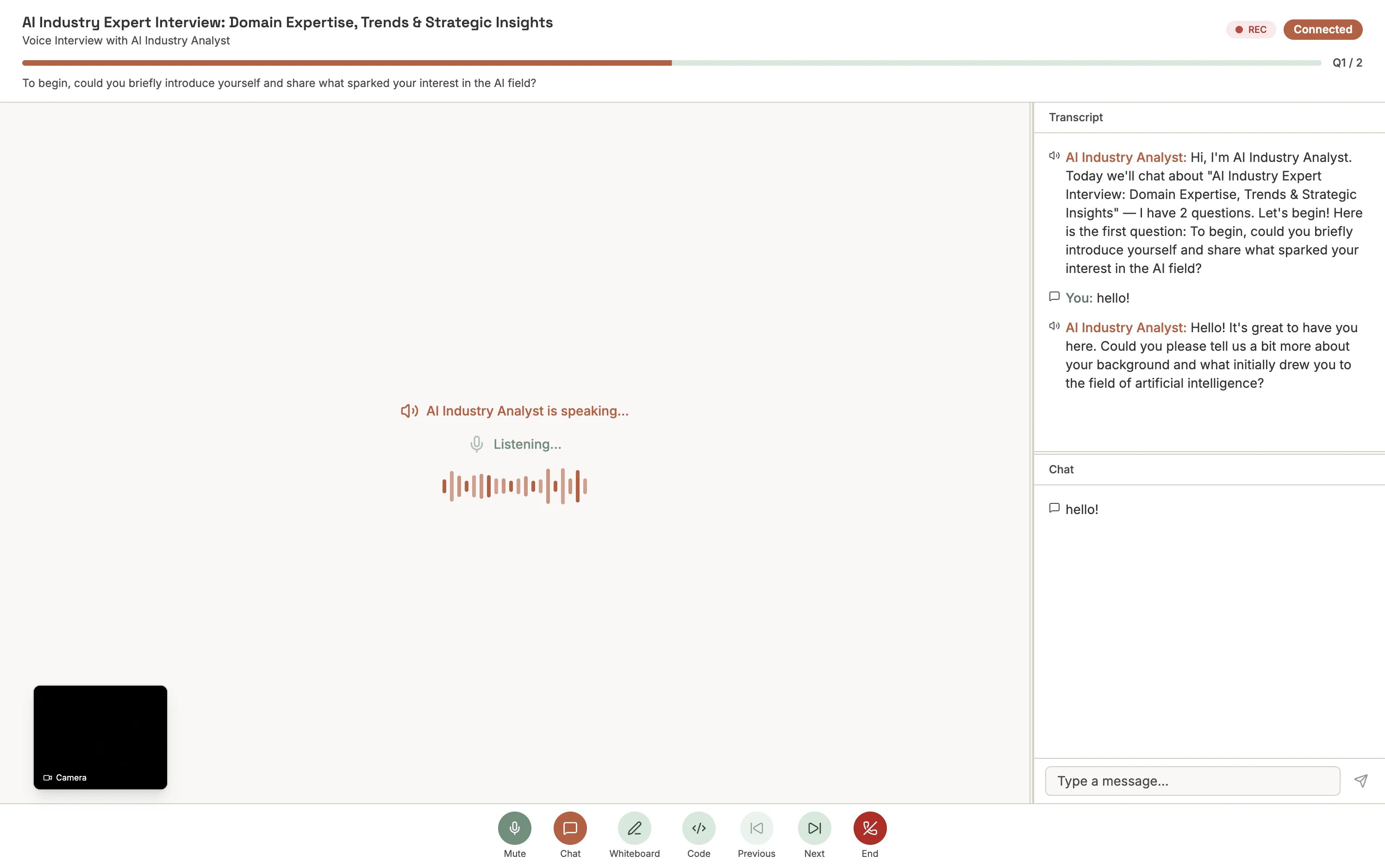
Speak your answers naturally. The AI listens and responds with speech in real time — like a phone conversation. Wait for the AI to finish speaking before you answer.
- Speak clearly at a moderate pace for the best transcription
- Pause briefly before answering to avoid cutting off the AI
- Use a quiet environment to reduce background noise
Chat Mode
Type your answers in the text box and press Enter to send. Chat is useful in noisy environments, for carefully phrased technical answers, or if you simply prefer typing.
Video Mode
Some interviews record your camera and/or screen. Position your camera so your face is clearly visible with good lighting.
Interactive Tools
Code Editor
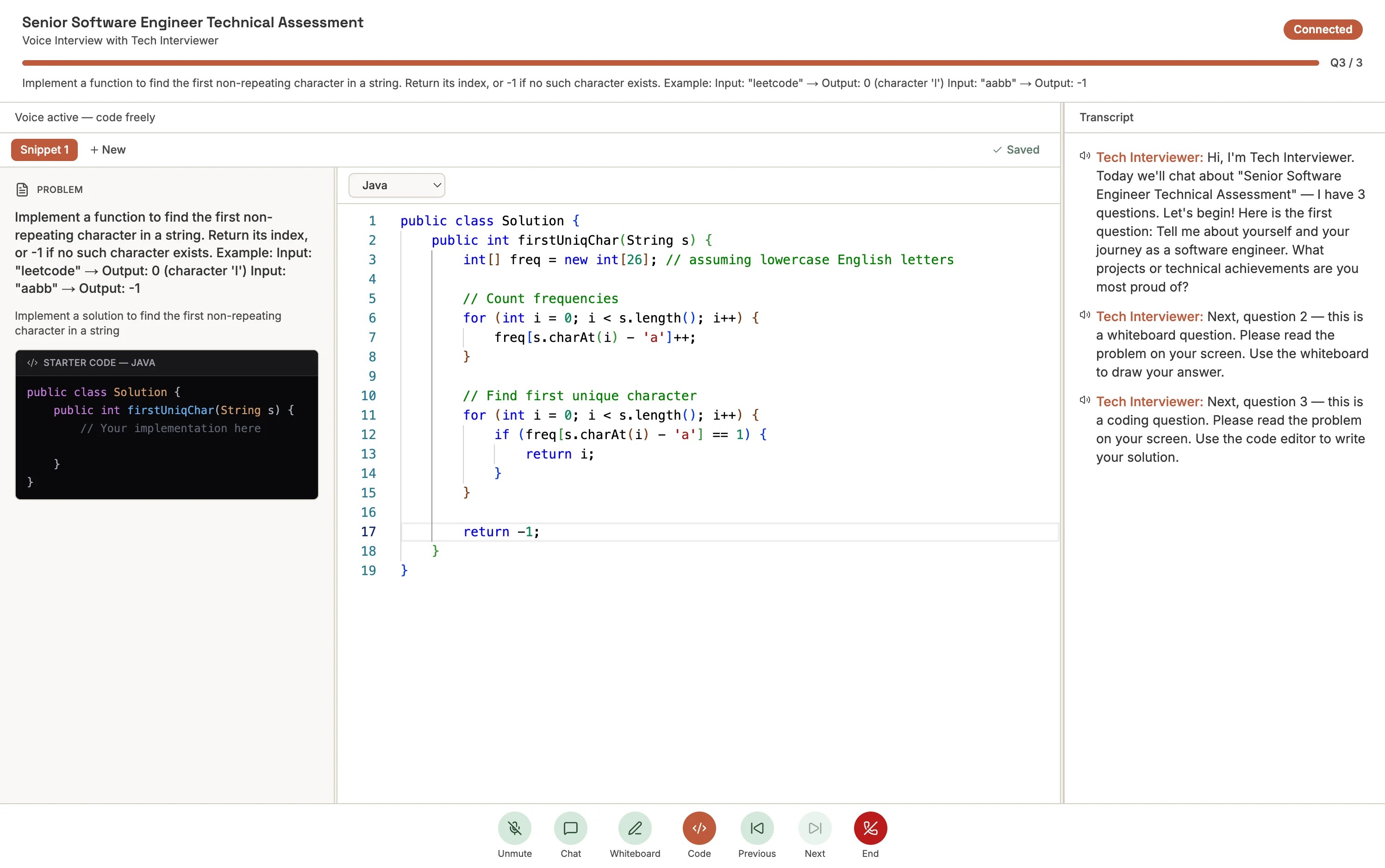
For coding questions, a Monaco-based editor (the same engine behind VS Code) appears on screen. Select your language from the dropdown, write your solution, and click Run to test it. The AI can see your code and may ask you to explain your approach.
Tip
Think out loud (or type your reasoning in chat) while coding. The AI evaluates both your code and your problem-solving approach.Whiteboard
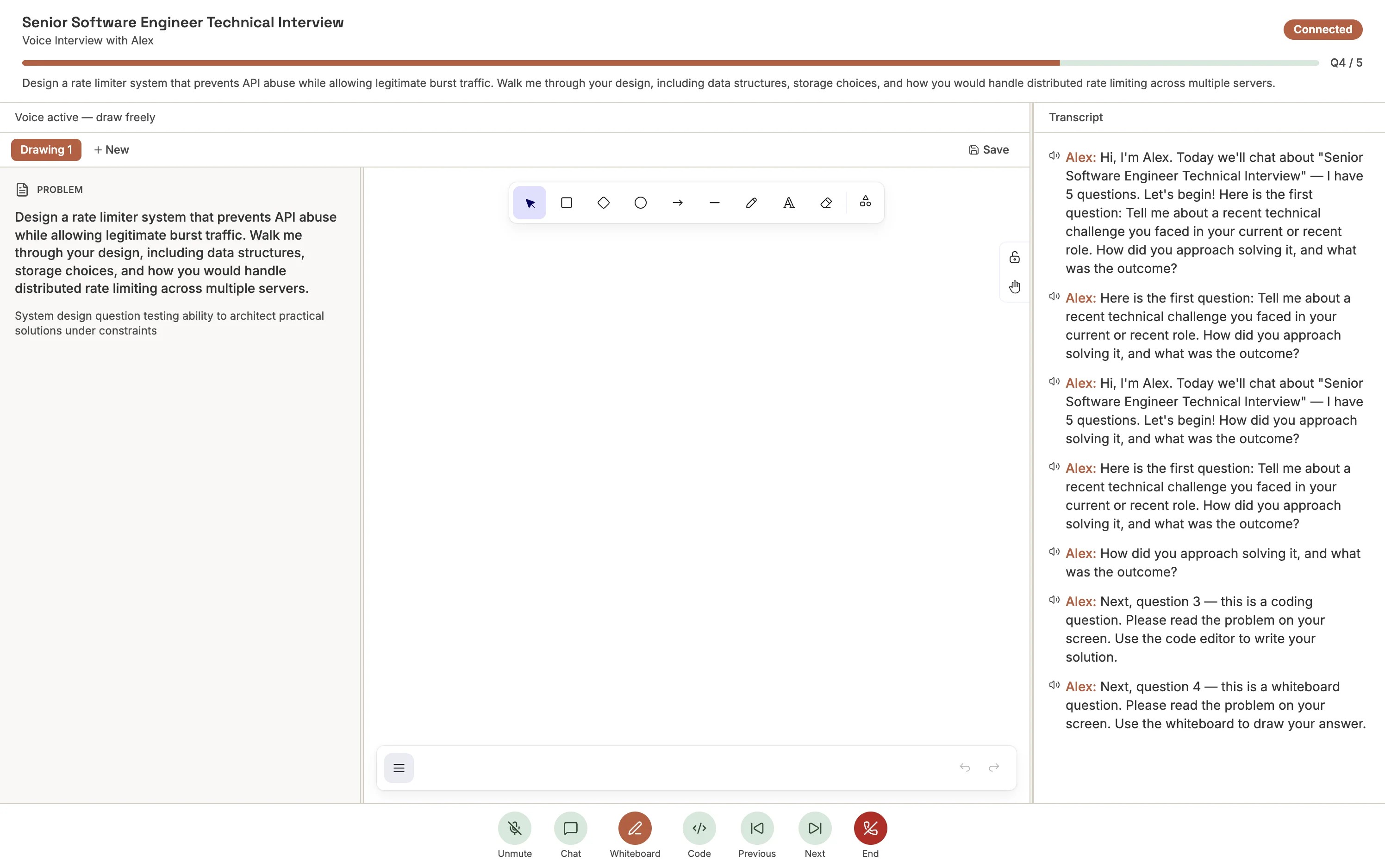
For design questions, an Excalidraw-based whiteboard lets you draw flowcharts, architecture diagrams, and sketches. The AI uses vision to observe your whiteboard in real time and can ask follow-up questions about your design. Label components clearly.
Navigating Questions
The AI typically advances automatically after your response. You can also control the flow:
Next Question
Skip
Previous Question
Ending the Interview
After all questions are answered, the AI wraps up the session. You can also end early by clicking End Interview or saying "end interview." Once you confirm, your session is submitted and cannot be edited.
After submission, you'll see a confirmation screen. The interviewing team will review your AI-generated analysis and follow up with next steps.
If You Get Disconnected
Aural saves your progress automatically. Return to the same interview link, verify your identity if prompted, and continue where you left off — previous answers are preserved.
To avoid interruptions
Use a stable network, keep the browser tab active, and close unnecessary apps before starting.