Questions and Library
Question types, reusable library, and search
Question Types
Each question type presents a different interface to the candidate. Mix types within a single interview to assess a range of skills.
Open-Ended
Free-form voice or text responses. Best for behavioral questions, communication assessment, and nuanced topics where there is no single correct answer.
Single Choice & Multiple Choice
Present a set of options. Single choice requires the candidate to pick one; multiple choice allows selecting all that apply. In both cases, the AI asks the candidate to explain their reasoning.
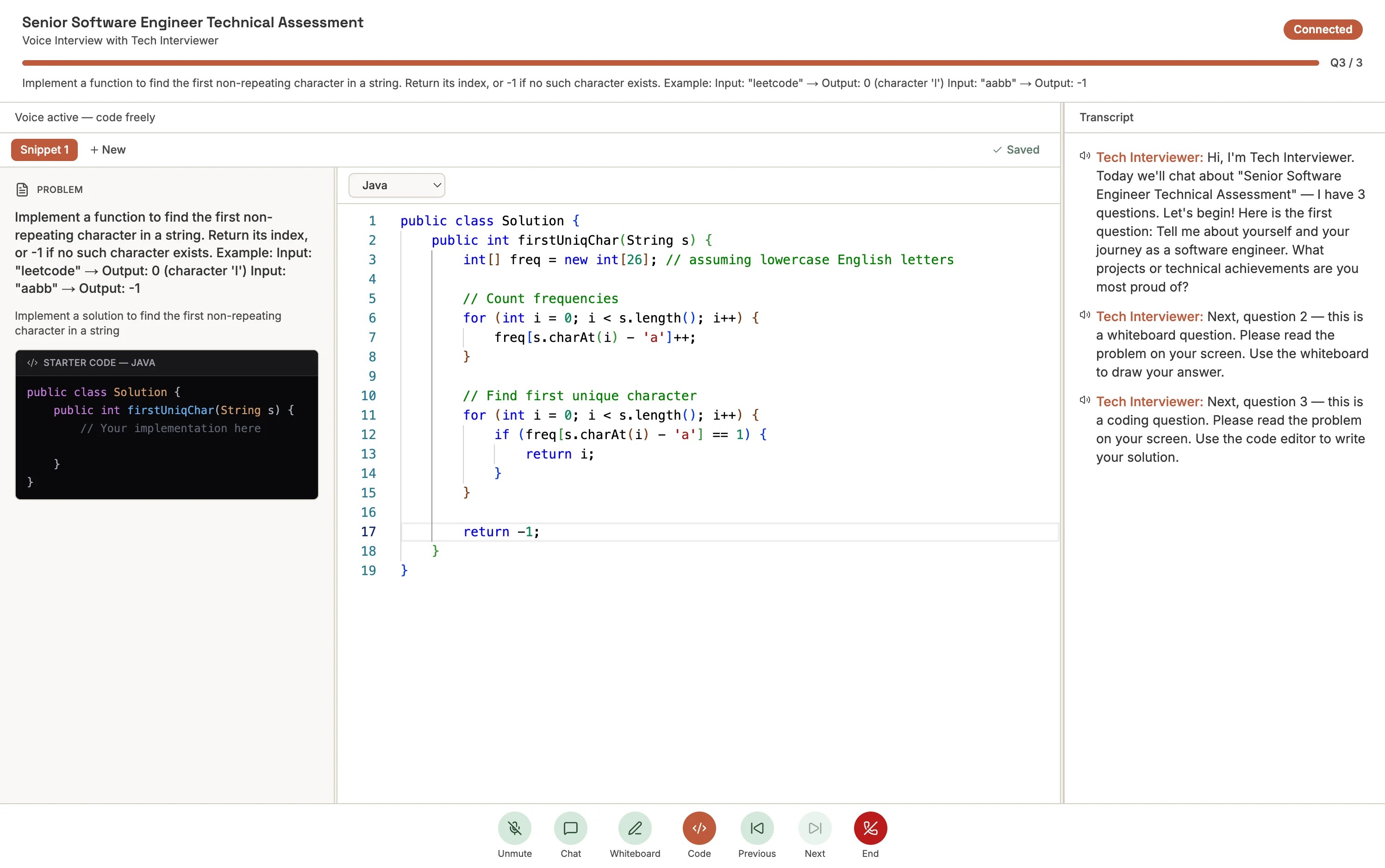
Coding
A Monaco-based code editor (the same engine behind VS Code) appears in the interview. Candidates select a language from the dropdown, write their solution, and click Run to execute it. The AI observes the code in real time and can ask follow-up questions about the approach.
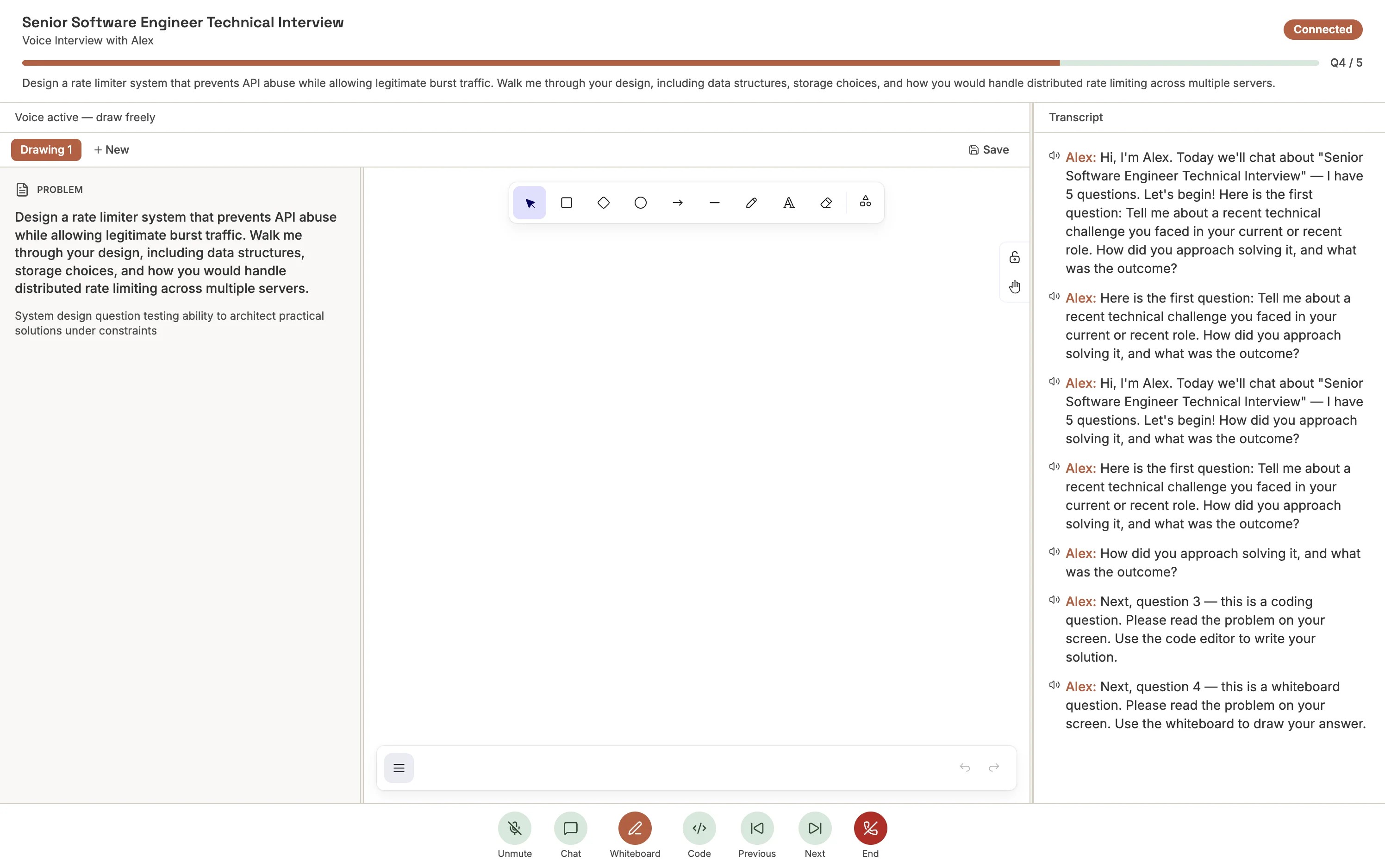
Whiteboard
An Excalidraw-based drawing canvas for flowcharts, architecture diagrams, and visual explanations. The AI uses vision to observe the whiteboard in real time and asks contextual follow-ups about the candidate's design.
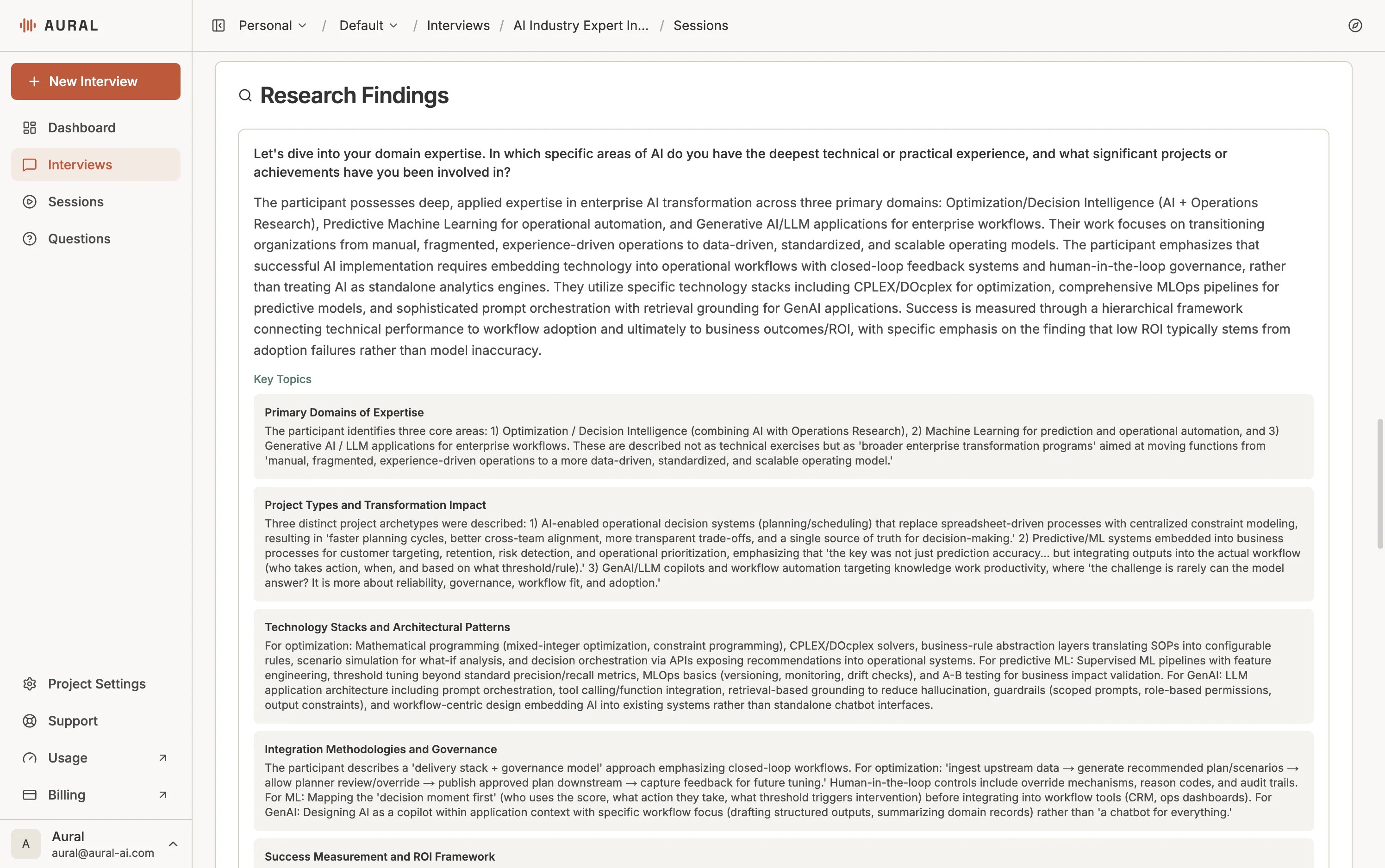
Research
Similar to open-ended, but the AI probes much more deeply — asking "why", "how", and "tell me more" to surface detailed insights. Designed for user research interviews. Sessions with research questions generate structured Research Findings (topics and data points) in addition to the standard evaluation.
Question Library
The Question Library is a central repository of reusable questions. Save a question once and add it to any interview — no need to recreate it each time.
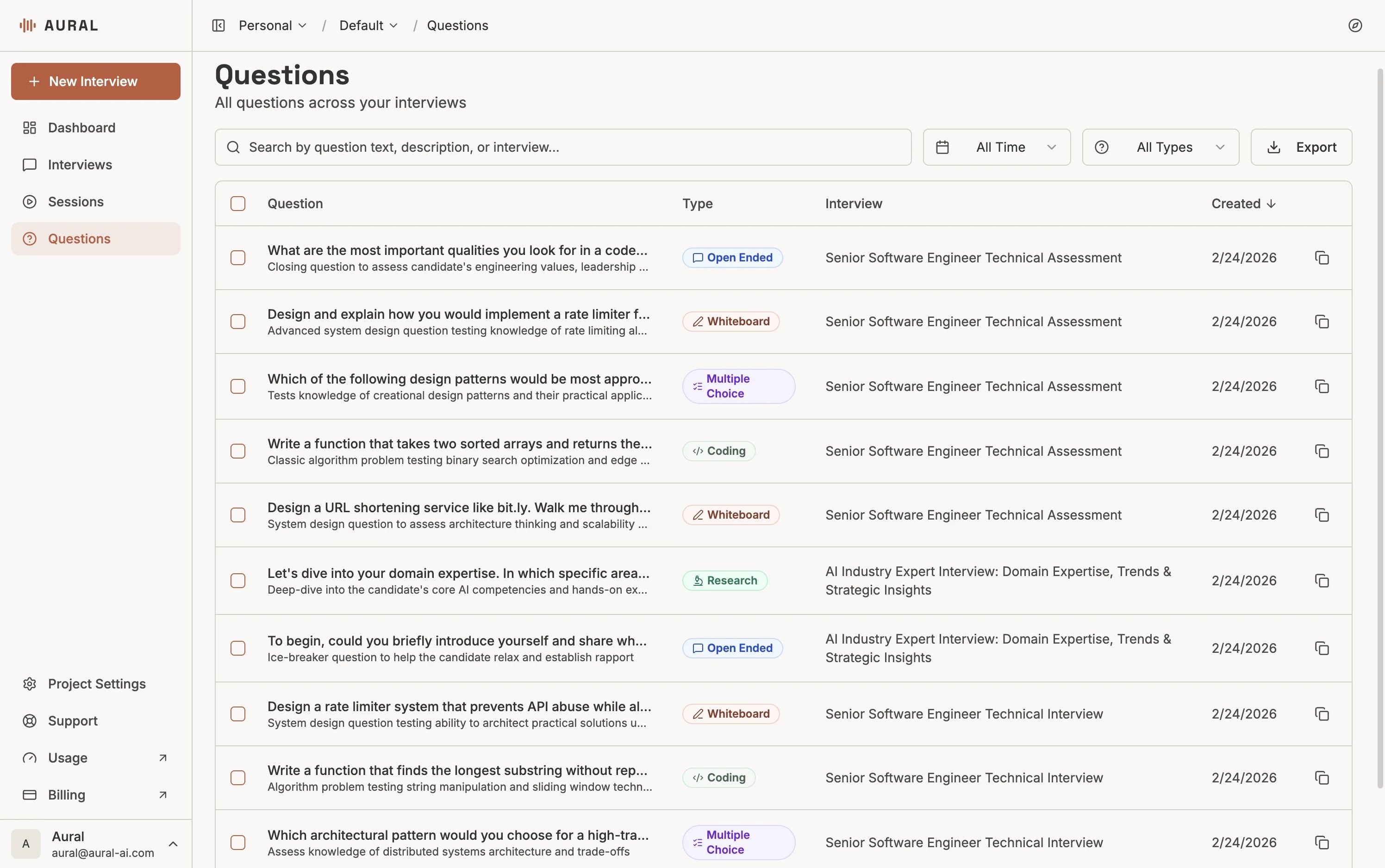
Saving and Reusing
When editing an interview, save any question to the library. While building a new interview, search the library by title, description, or type and add questions with one click. The same question can appear in multiple interviews.
Tip
Editing a library question lets you choose: update all interviews that use it, or create an independent copy for just this interview.