AURAL
⌘K
For Creators
Quick Start: Your First AI Interview
End-to-end walkthrough from goals to sharing the interview link
Create Your First Interview
This walkthrough takes you from zero to a shareable AI interview in a few minutes.
1
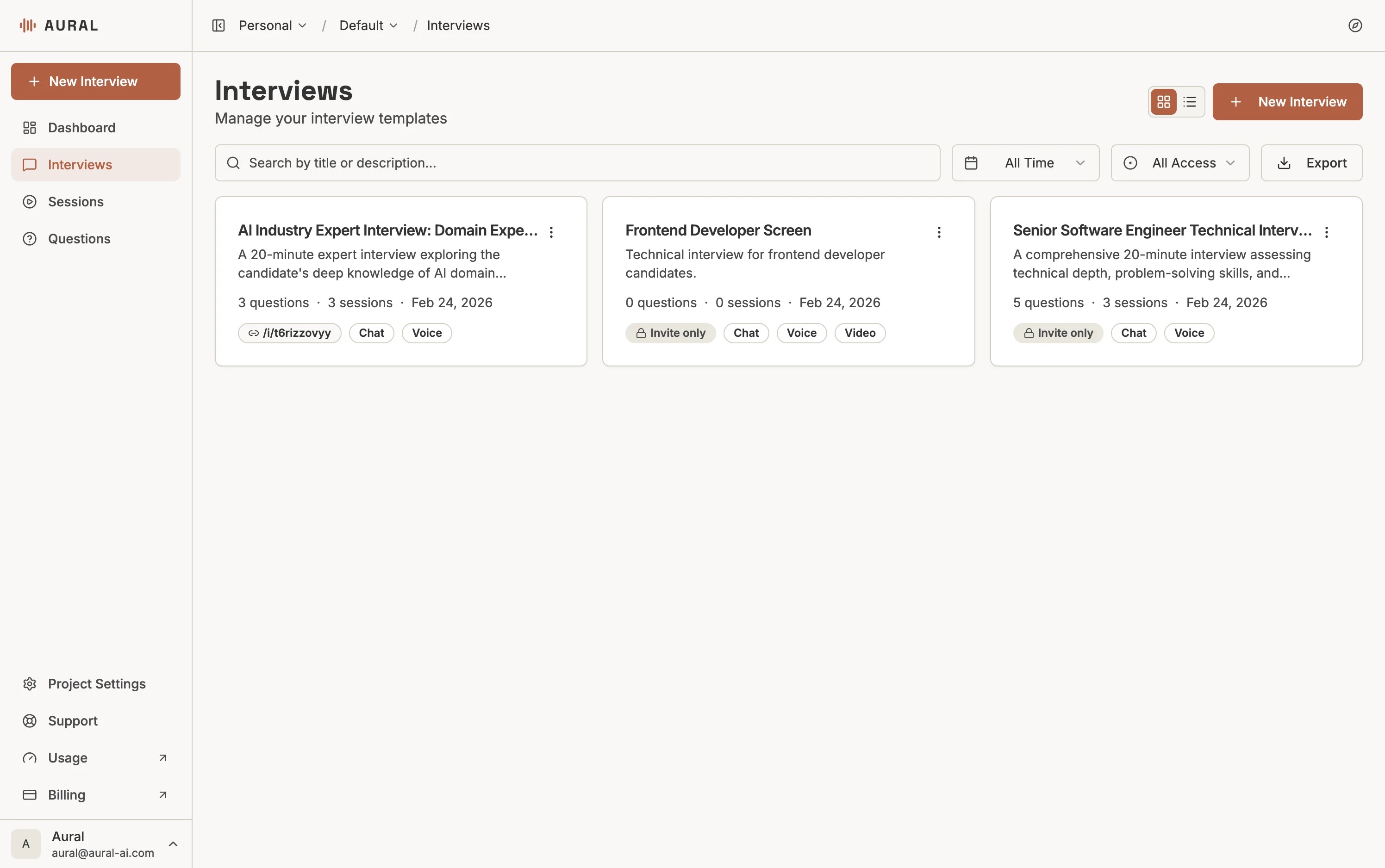
Click "New Interview"
From the Interviews page, click the + New Interview button in the top right.
2
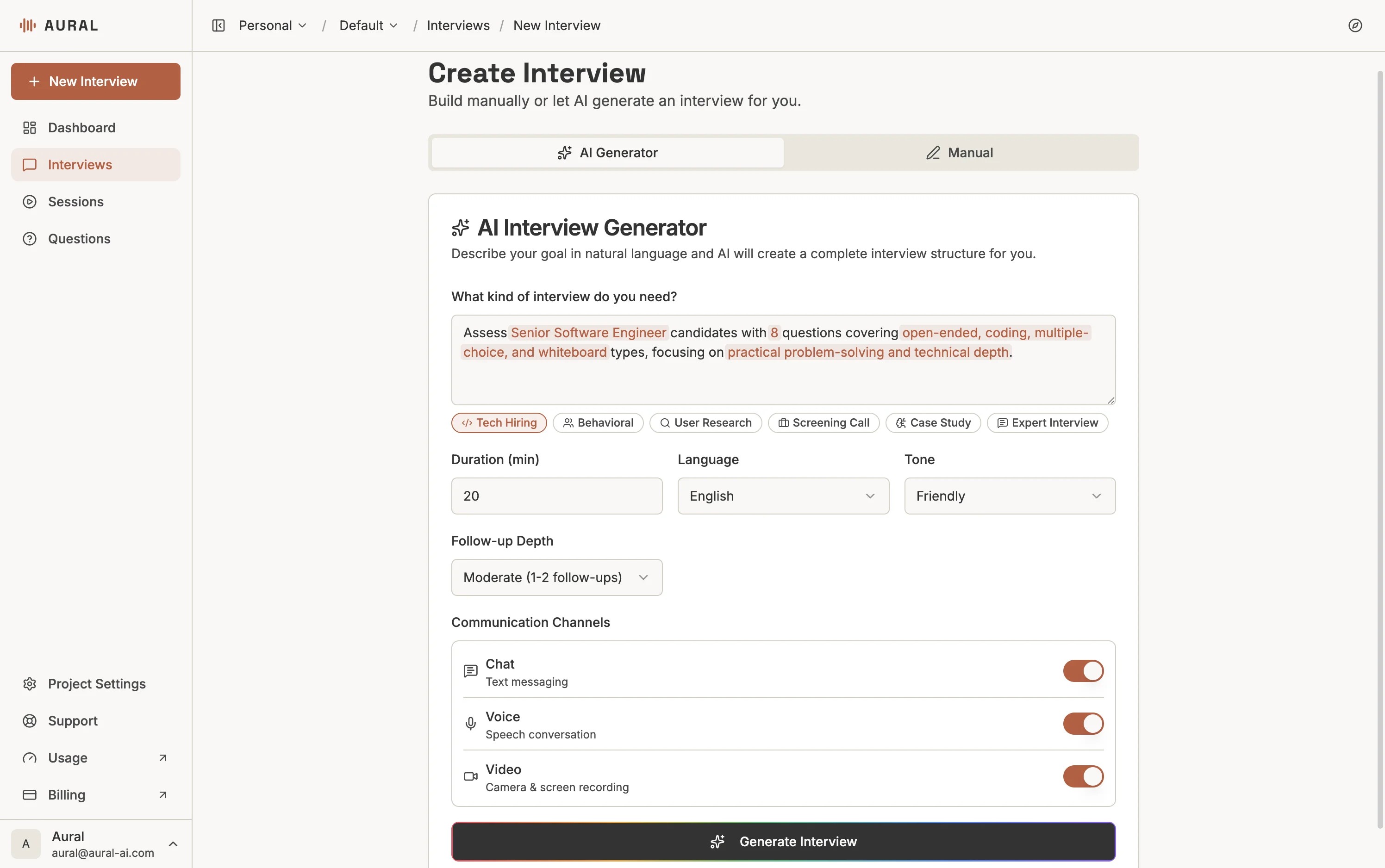
Describe Your Goals
On the AI Generator tab, describe what you want to assess. For example: "A 30-minute technical interview for a frontend developer, covering React, TypeScript, and system design."
3
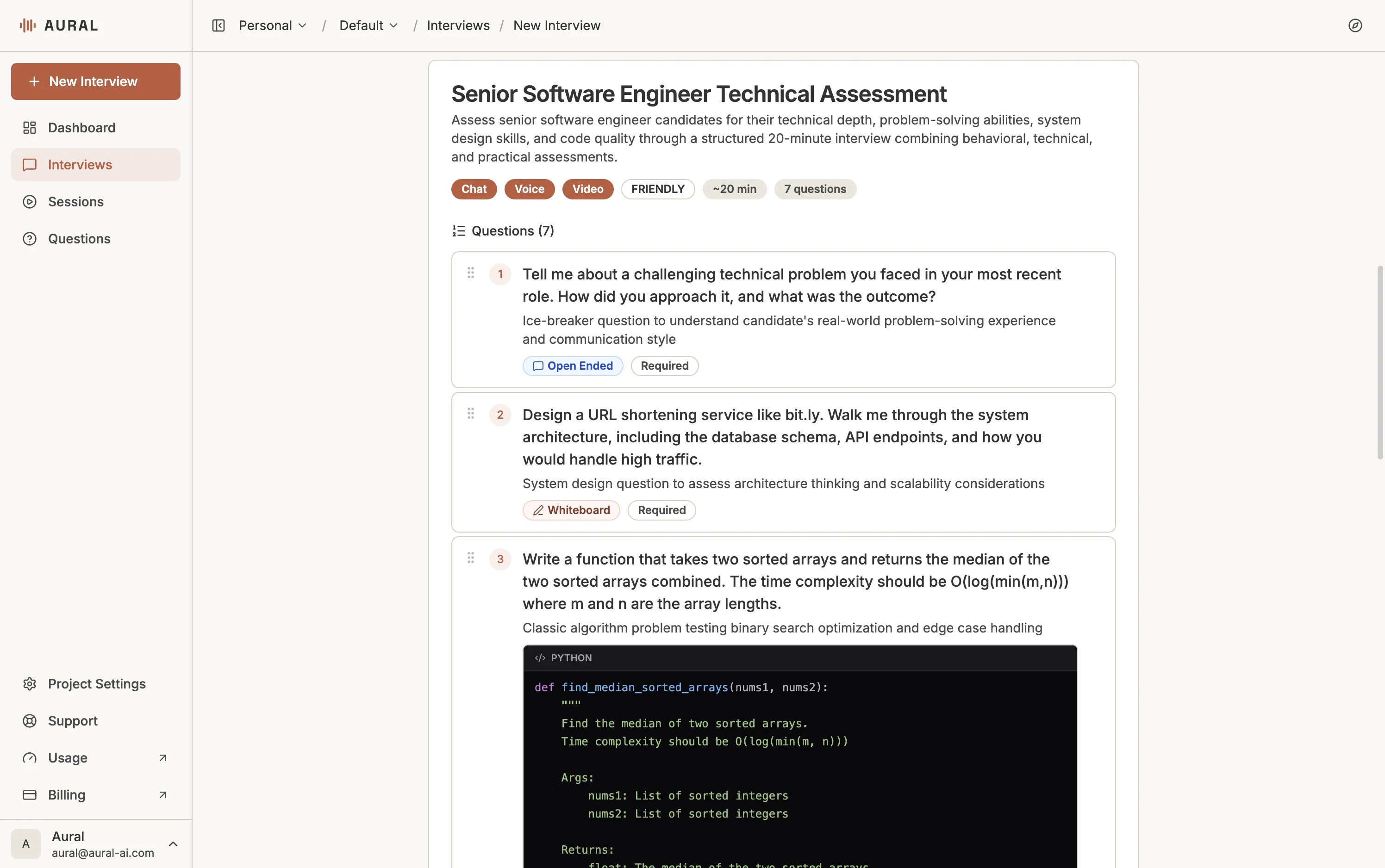
Review and Edit Questions
The AI generates questions tailored to your description. Review, edit, reorder, or add more on the Content tab.
4
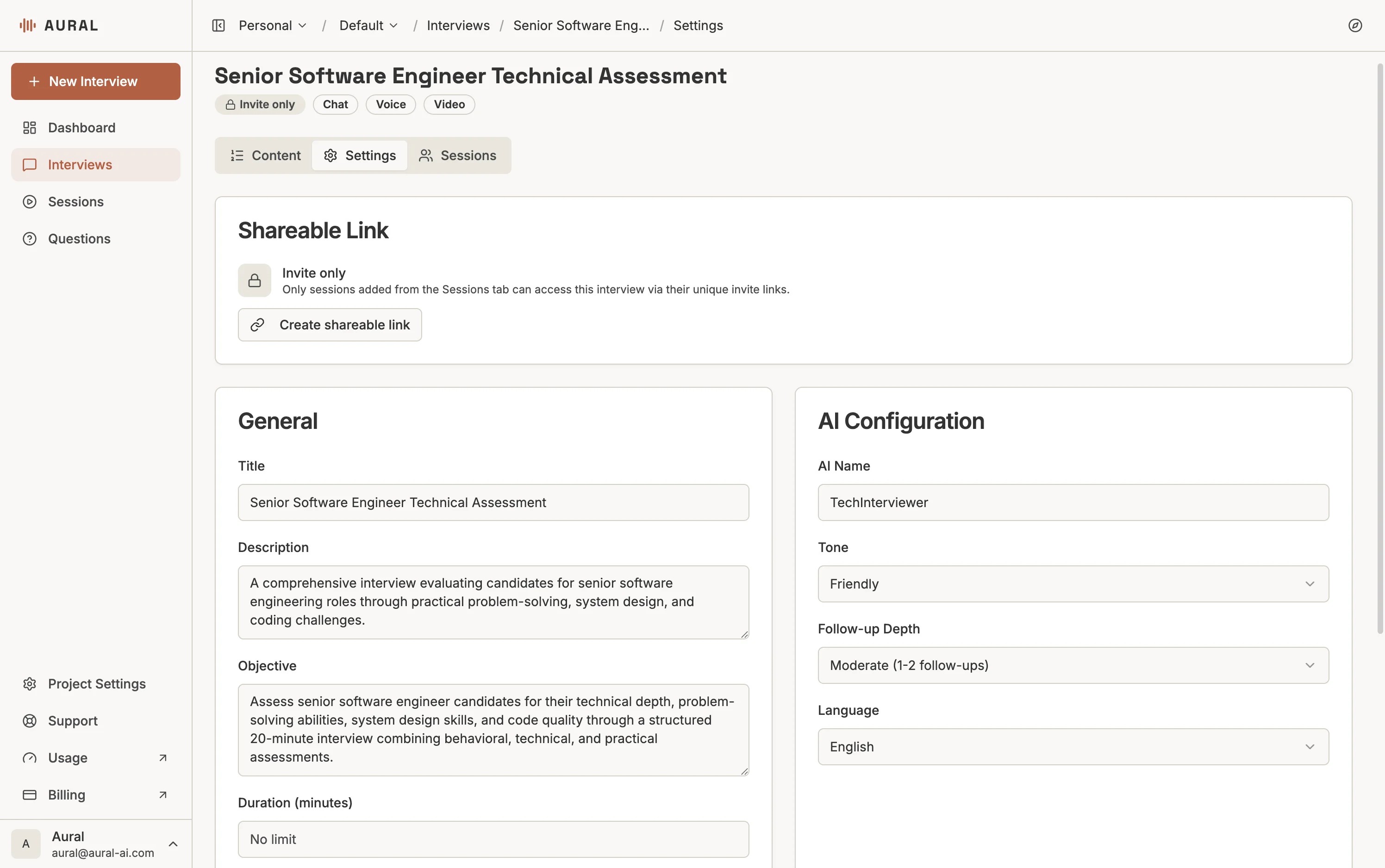
Configure Settings
On the Settings tab, set the AI tone, follow-up depth, language, and communication channels.
5
Add Candidates and Share
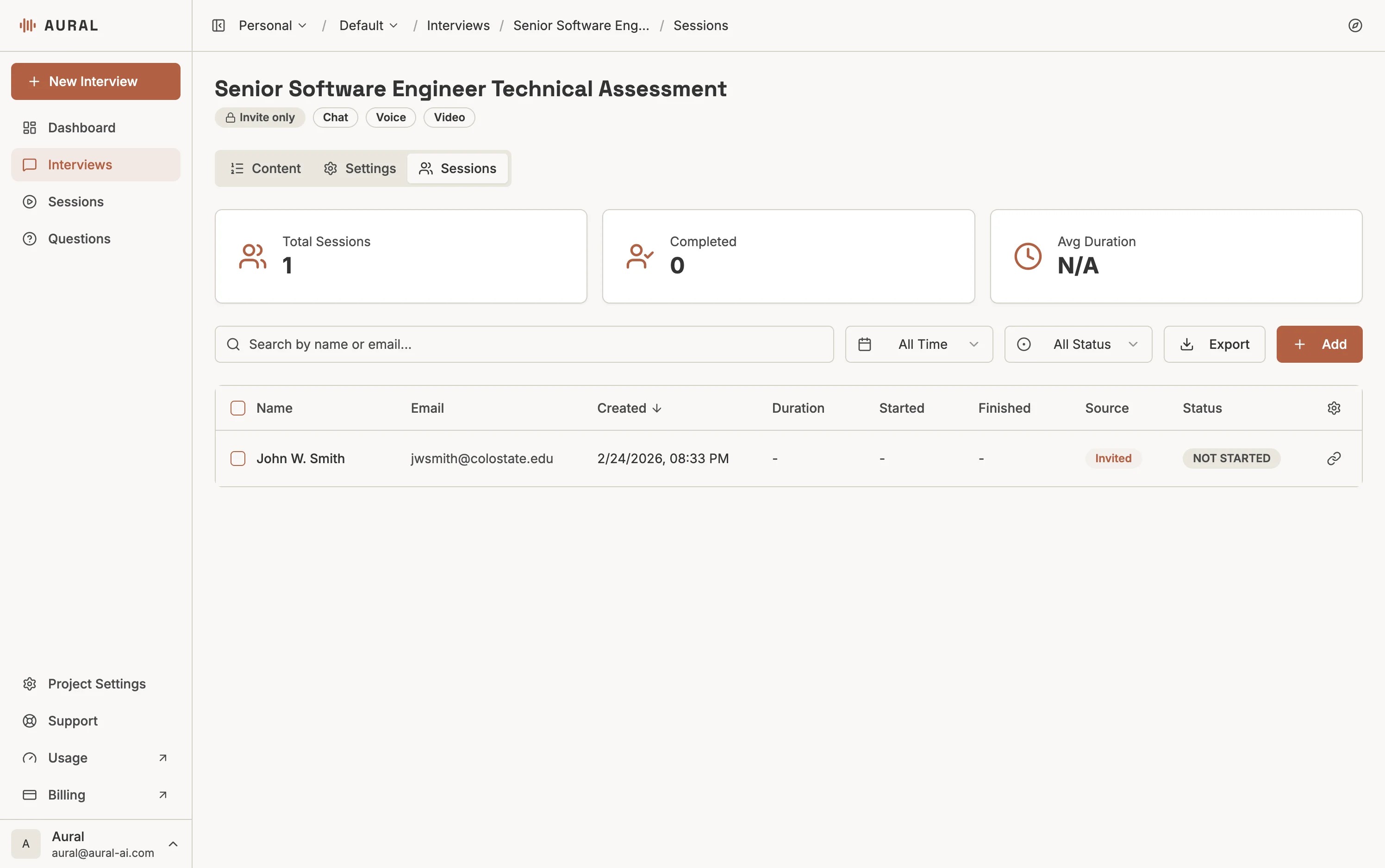
Go to the Sessions tab to add candidates by name and email. Copy their invite link to share.
Pro tip
Be specific in your description — mention the role, skills, duration, and number of questions for the best AI-generated results.