Anti-Cheating Mode
Prevent dishonest behavior with tab tracking, paste blocking, and multi-monitor detection
Anti-Cheating Mode adds a layer of integrity monitoring to your interviews. When enabled, the system enforces mandatory device permissions, tracks tab switches, blocks external paste, and detects multi-monitor setups.
Enabling Anti-Cheating
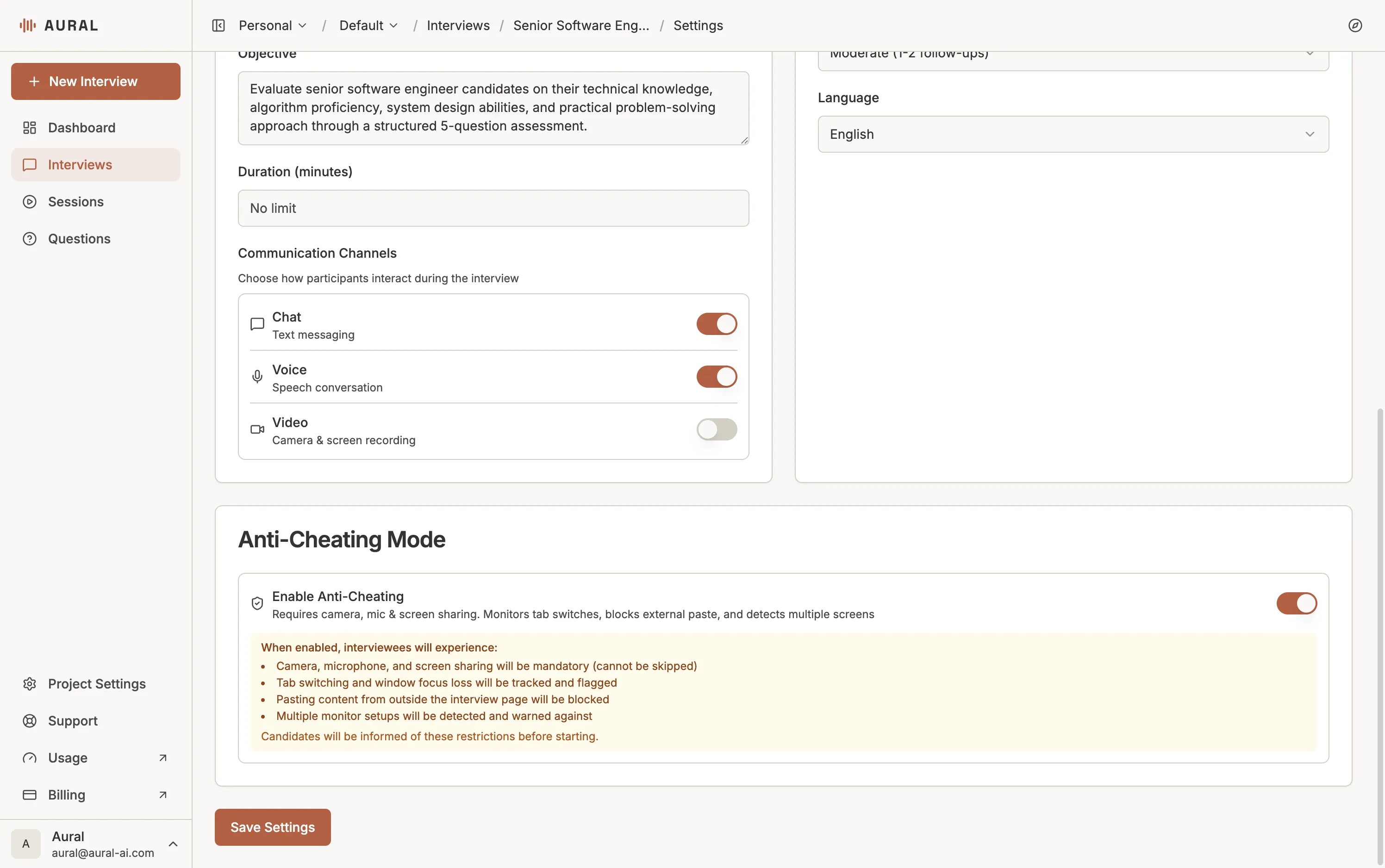
Open the Settings tab of any interview and scroll to the Anti-Cheating Mode section. Toggle Enable Anti-Cheating on.
What Gets Enforced
Once enabled, every session created under this interview will enforce the following restrictions:
- Mandatory camera, microphone, and screen sharing — candidates cannot skip the device permission step.
- Tab-switch and focus-loss tracking — every time a candidate leaves the interview tab, it is recorded and timestamped.
- External paste blocking — pasting content copied from outside the interview page is blocked.
- Multi-monitor detection — candidates using more than one screen are warned that the setup has been detected.
What Candidates See
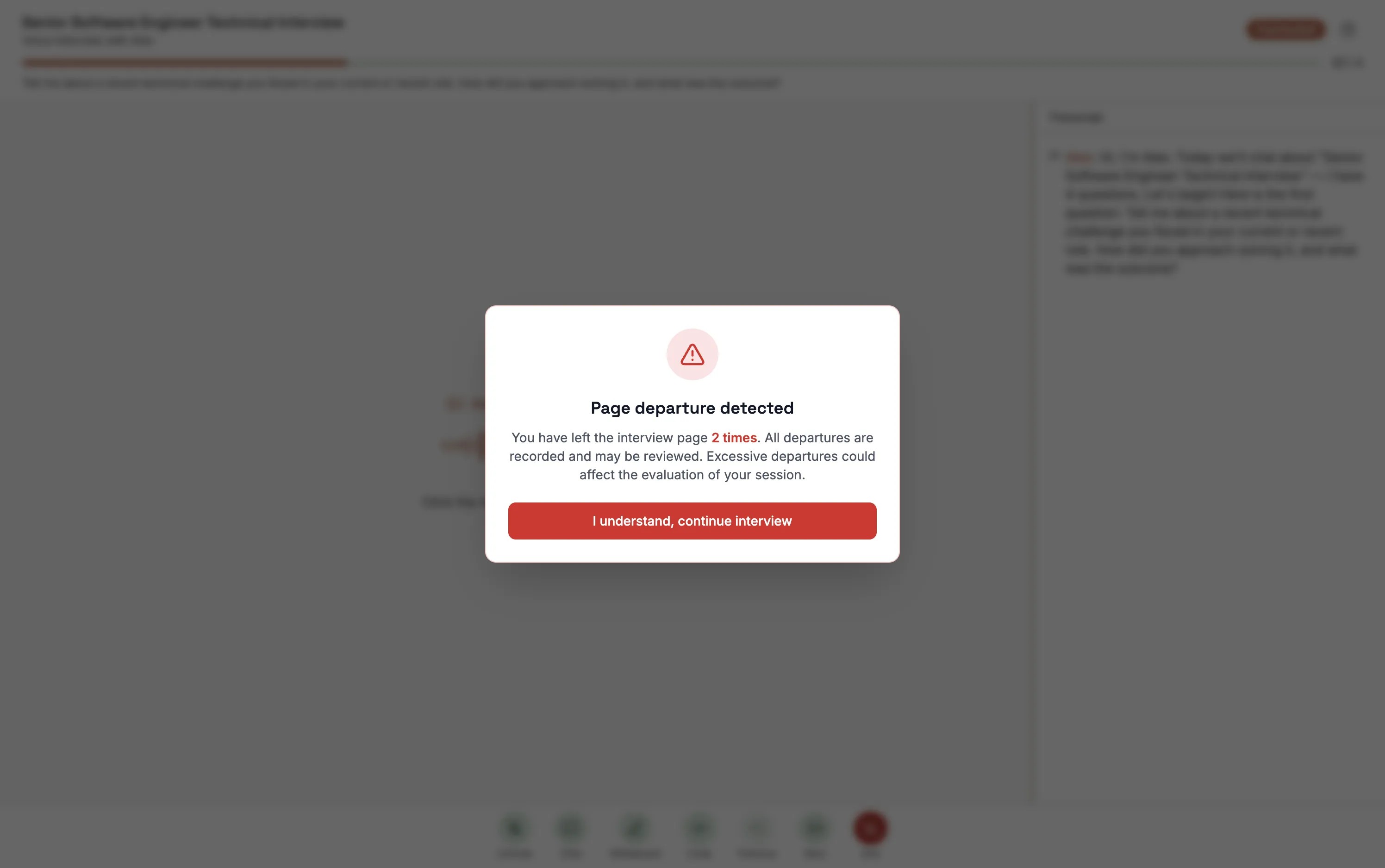
When anti-cheating is active and a candidate leaves the interview tab (for example, switching to another application or browser tab), they see a Page departure detected dialog upon returning.
First Departure
A gentle notice tells the candidate they have left the page. The departure count is recorded.
Repeated Departures
Each subsequent departure increments the counter. The dialog reminds the candidate that all departures are recorded and may be reviewed.
Maximum Reached
Once the limit is hit, a warning appears: further departures will be flagged for review. The candidate can still continue, but the session report will highlight these events.
Reviewing Violations
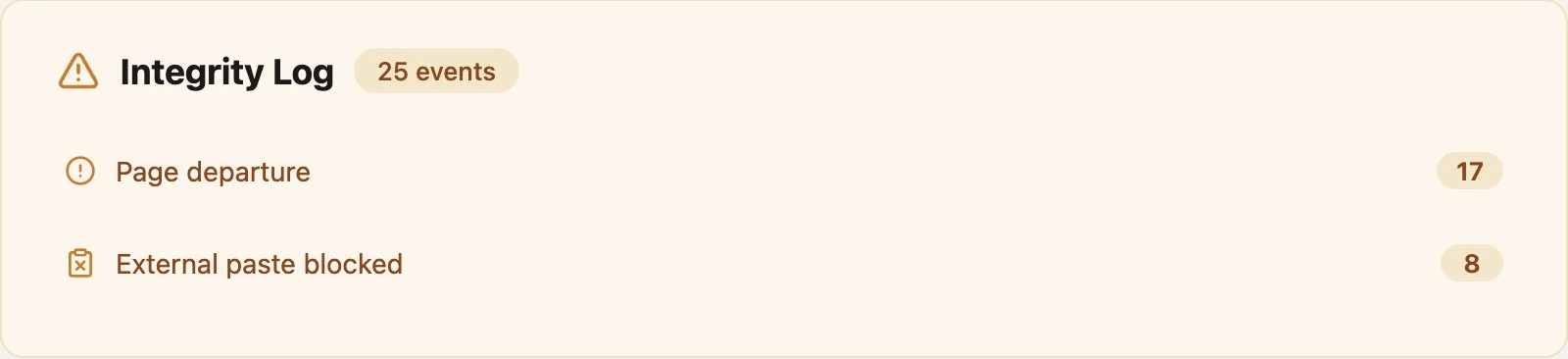
After the session, all recorded departures and flagged events appear in the session report. Reviewers can see how many times the candidate left the page and whether the maximum threshold was exceeded, which can be factored into the overall evaluation.
Tip
Use anti-cheating mode for high-stakes assessments where integrity is critical. For casual practice sessions or user-research interviews, you can leave it off to reduce friction for candidates.